
Check text length using the count your submission requires
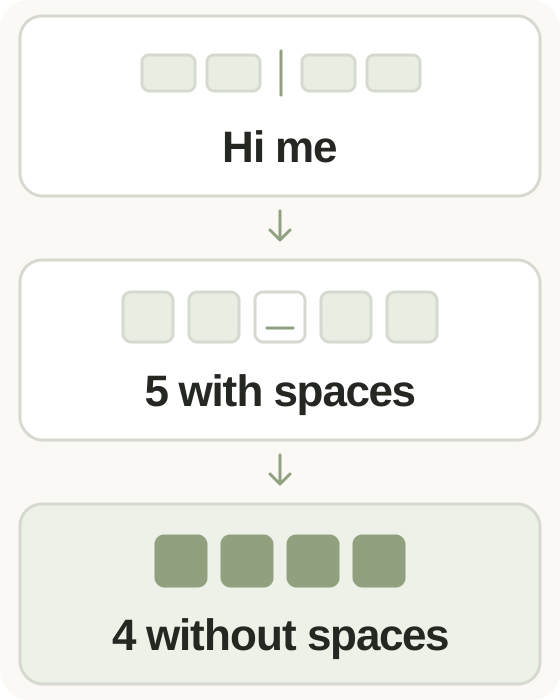
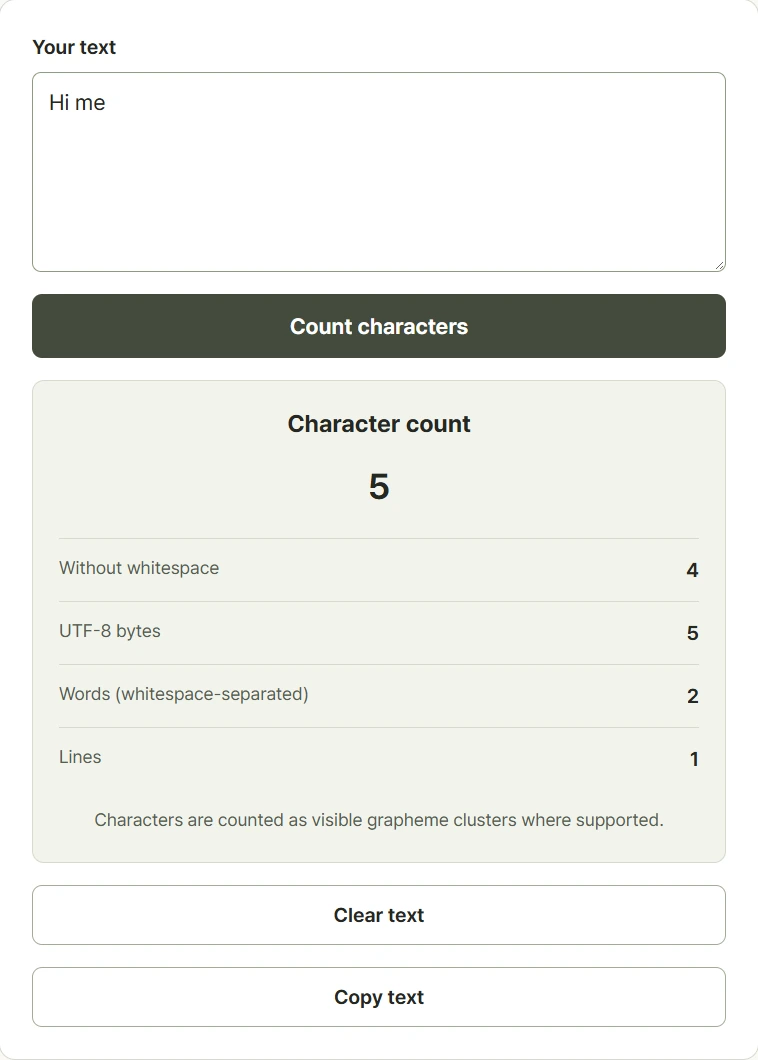
Type or paste your text to update the counts immediately. The main results show characters with whitespace and characters without it; expand the additional results for UTF-8 bytes, words, and lines. Choose the measure that matches your writing requirement. A form may limit visible characters, stored bytes, or a count defined by that service, and those values are not interchangeable. Spaces, tabs, and line breaks are removed from the count without whitespace. Words are counted as whitespace-separated chunks rather than through grammatical analysis. The tool processes the entered text in the browser, so you can adjust a draft and compare the changing totals.
Step-by-step instructions and example screen
From input to result
- Type or paste the text you want to measure.
- Compare counts with and without whitespace, and open the byte, word, and line totals if needed.
- Edit your draft, then copy the text or clear the input.
When to use this tool
Fit an application field
Paste your draft and compare the count required by the application. Confirm the final result in the destination form if it uses different rules.
Shorten a profile description
Remove or rewrite a sentence and watch the character totals update, making it easier to fit a short introduction.
Compare text and data size
Check both visible characters and UTF-8 bytes when a system specifies a byte limit instead of a character limit.
Examples and calculation method
Worked examples
| Text | Characters with / without whitespace | UTF-8 bytes |
|---|---|---|
| Hello world | 11 / 10 | 11 |
| A B | 3 / 2 | 3 |
| A🙂 | 2 / 2 | 5 |
Visible characters and UTF-8 storage size
Modern browsers count character groups using Unicode grapheme segmentation, so a joined emoji can count as one visible character. Older browsers use a code-point fallback and may give different totals. UTF-8 bytes measure encoded data size: basic English letters and digits use one byte, while many other characters use more. Words split at whitespace. An empty input has zero lines; otherwise line breaks separate the lines counted by the tool.
Understanding your result
- The count without whitespace removes tabs and line breaks as well as ordinary spaces.
- A destination site can count emoji or bytes differently; follow its published limits and final input validation.
- Text is processed in the page without being submitted for counting; copied text can remain on your device clipboard.
Frequently asked questions
Frequently asked questions
Do spaces and line breaks count?
They appear in the count with whitespace. The count without whitespace removes spaces, tabs, line breaks, and other whitespace characters.
How many characters is an emoji?
With modern browser support, a visible emoji sequence usually counts as one grapheme. Older browser fallbacks and other websites may apply different counting rules.
Why is the byte count larger than the character count?
UTF-8 uses a variable number of bytes. Basic English letters use one byte, while an emoji such as a simple smile often uses four bytes.
Is the word count a grammatical analysis?
No. It counts nonempty chunks separated by whitespace. Hyphenation, scripts without spaces, and a publisher's rules can produce different word counts.