
Make a different password that fits your account's rules
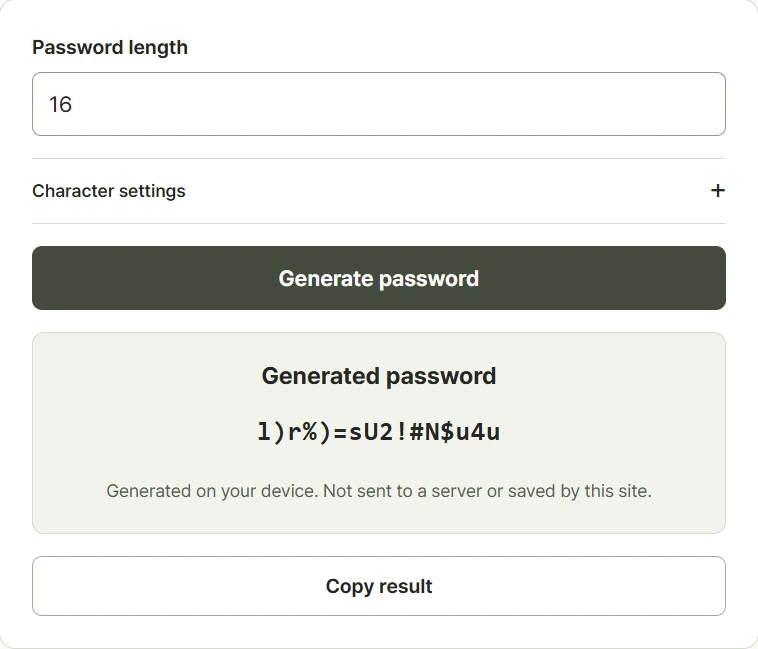
Choose a length from eight to sixty-four characters, then generate a password. The default length is sixteen characters. In the optional settings, select uppercase letters, lowercase letters, digits, and symbols to match the account's accepted characters. Each selected category appears at least once in the result. You can also remove characters that are easy to confuse when reading or typing by hand. Check the destination service's rules before using the generated value. Use a different password for each account and keep it in a suitable password manager. The generated password remains in the open page unless you copy it elsewhere.
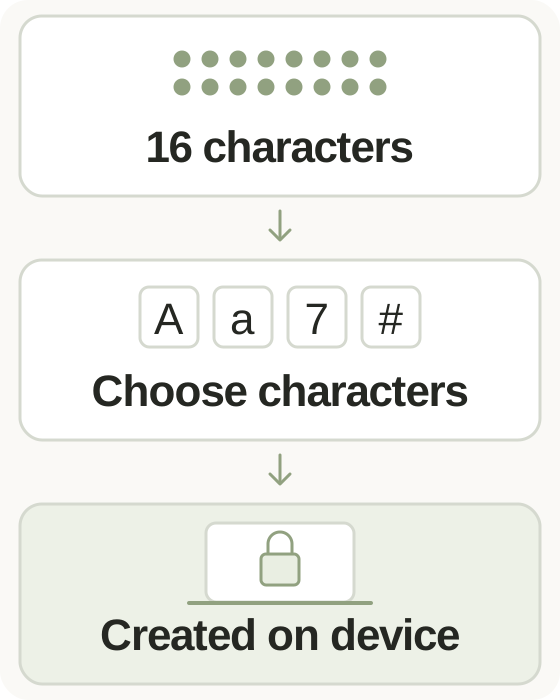
Step-by-step instructions and example screen
From input to result
- Choose a password length from 8 to 64 characters.
- Select the character categories your account accepts and optionally remove similar-looking characters.
- Generate a password, copy it to the intended account, and keep it in your password manager.
When to use this tool
Register a new account
Use a sufficiently long password accepted by the service, then store the new value separately from the passwords used for other accounts.
Meet a character restriction
If a service rejects symbols, turn that category off and keep a suitable length using the remaining accepted categories.
Reduce transcription mistakes
Remove similar-looking characters when a password must be read aloud or typed manually, while retaining a length appropriate for the account.
Examples and calculation method
Worked examples
| Setting | Example choice | Result rule |
|---|---|---|
| Length | 16 characters | Exactly sixteen generated characters |
| Categories | Letters and digits only | No symbols, with each chosen category included |
| Similar characters | Exclude | I, l, 1, O, 0, and o are removed |
Browser randomness and selected character categories
Random choices come from the browser's Web Crypto API. The generator chooses at least one character from each selected category, fills the remaining positions from the combined pool, then shuffles the result. At least one category must stay enabled. Excluding similar characters removes I, lowercase l, 1, O, 0, and lowercase o. Passwords are not written to server or browser storage; copying places the result on the device clipboard.
Understanding your result
- The tool accepts 8 to 64 characters; your account may have its own minimum length and permitted symbols.
- Leaving all character categories unchecked prevents generation; keep at least one category selected.
- Copying can leave the password on the clipboard, so check where you paste it and how you store it.
Frequently asked questions
Frequently asked questions
Is my generated password stored?
The tool keeps it in the current page's memory, without recording it in cookies, browser storage, or the server. A copied value follows your device's clipboard behavior.
Will every selected category be included?
Yes. At least one character from each enabled category appears in the password before the completed characters are shuffled.
Which similar characters are removed?
The option removes uppercase I, lowercase l, digit 1, uppercase O, digit 0, and lowercase o from the available categories.
Should I reuse a generated password?
Create a different password for each account. A password manager helps store those separate passwords, and additional authentication can further protect supported accounts.