
Compare the start and end of a calendar period
Select a start date and an end date to calculate the difference in calendar days. The result also expresses the interval as weeks and remaining days, which can make a longer period easier to read. Use the inclusive option when both endpoint dates should be counted. If the end date is earlier than the start, a negative result preserves that direction rather than silently swapping the dates. Actual month lengths and leap days are included. This is useful for comparing project periods or travel schedules. For a countdown from the device's current date, the days until calculator provides a simpler view.
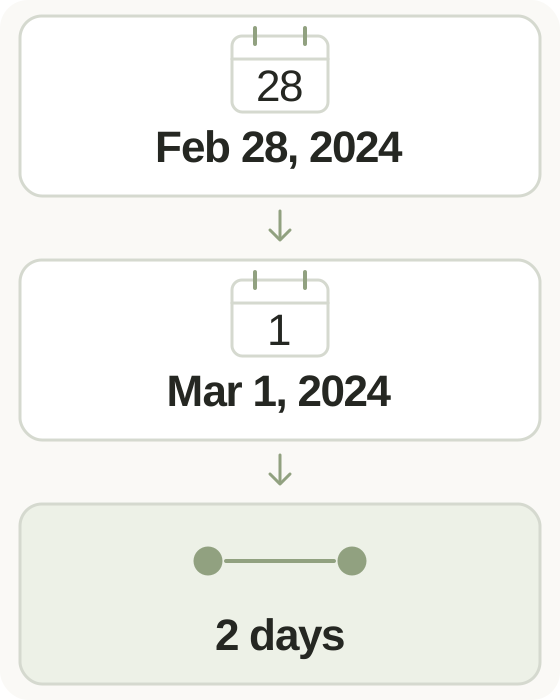
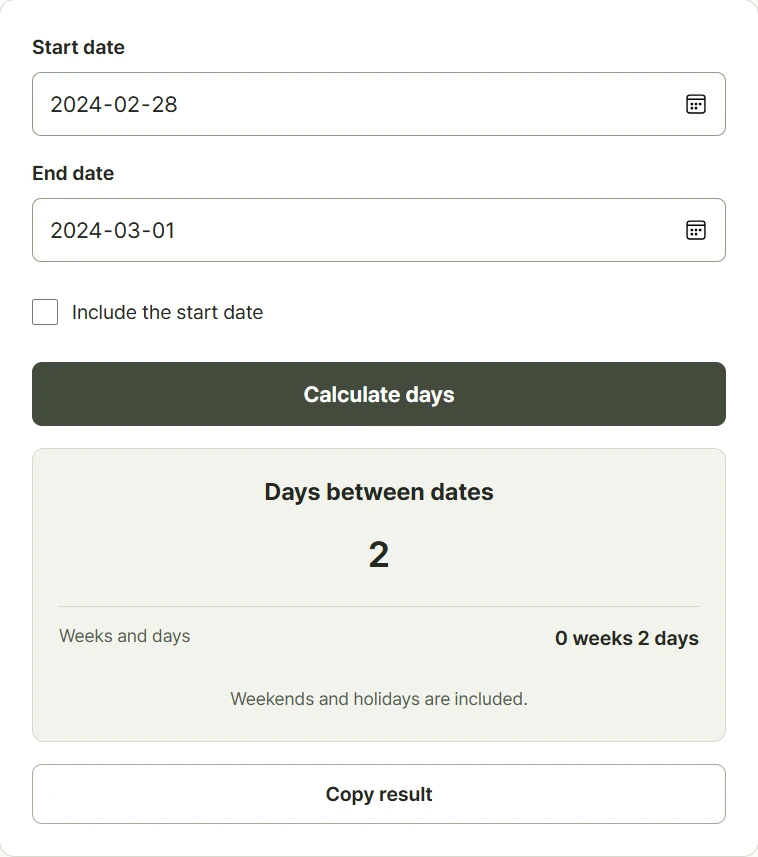
Step-by-step instructions and example screen
From input to result

- Choose the starting date and ending date.
- Select inclusive counting if you need to count both endpoint dates.
- Calculate and read the signed day difference together with the weeks-and-days breakdown.
When to use this tool
Compare travel dates
Enter departure and return dates, then decide whether you want the elapsed gap or a count that includes both calendar dates.
Review a project period
Compare the beginning and end of a project and use the weeks-and-days breakdown to understand its overall length.
Check a date in the past
Enter dates in either order. A negative result makes it clear that the selected end lies before the starting point.
Examples and calculation method
Worked examples
| Date range | Counting rule | Difference |
|---|---|---|
| January 1 to January 8 | Default | 7 days, or 1 week |
| January 1 to January 8 | Include starting date | 8 days, or 1 week and 1 day |
| 2024-02-28 to 2024-03-01 | Default, leap year | 2 days |
Subtracting dates with an optional inclusive count
The default calculation subtracts the start date from the end date using date-only values. Including the starting date adds one to the absolute count while preserving its sign. The same date therefore returns zero by default or one with inclusive counting. Leap years and calendar month lengths are reflected automatically. All days count, including weekends and holidays; hours, time zones, business-day schedules, and contractual deadline rules are not applied.
Understanding your result
- January 1 to January 8 is a seven-day gap, or eight counted dates with inclusive counting.
- Calendar days are not automatically the same as billable days, rental nights, or legal deadlines; check the required convention.
- This tool compares dates without clock times; use the time calculator when hours and minutes matter.
Frequently asked questions
Frequently asked questions
Does the calculator exclude weekends?
No. It counts calendar days, including Saturdays, Sundays, and public holidays. It does not apply a business-day calendar.
Are leap years included?
Yes. February 29 is included when it exists in the selected year, along with the actual length of each month.
Why is my result negative?
The ending date is earlier than the starting date. The negative sign shows the direction of the interval.
What is the result for the same date?
The default difference is zero days. Inclusive counting returns one day because that date itself is counted.