
Calculate a duration or find a new clock time
Choose the difference between two times, add a duration, or subtract a duration. For a difference, enter the starting and ending clock times, and select a next-day ending when the interval crosses midnight. You can remove a break entered in minutes. For addition or subtraction, enter a starting time and a duration in hours and minutes. The result identifies any move into the previous or following day, so an overnight answer is easier to interpret. This tool uses minute-based arithmetic. It can help organize study sessions, editing schedules, and preparation times without applying regional time-zone changes or employment rules.
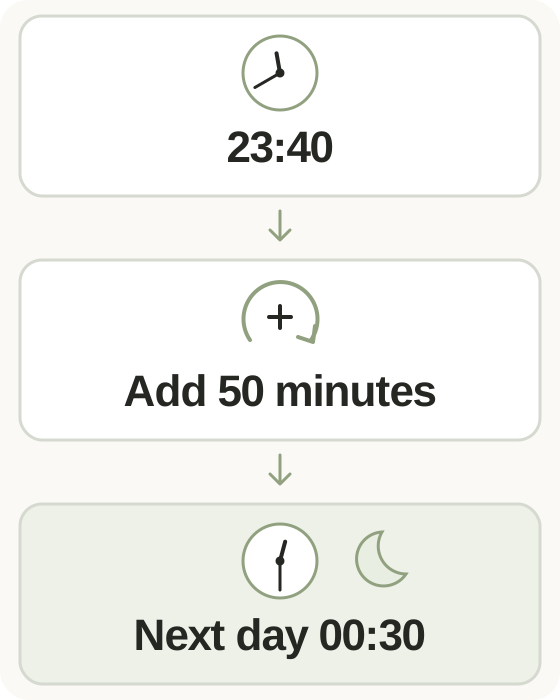
Step-by-step instructions and example screen
From input to result
- Choose time difference, add time, or subtract time.
- Enter the clock times or duration, selecting a next-day ending or break deduction where needed.
- Calculate and read the hours, minutes, and any change of day.
When to use this tool
Measure a session
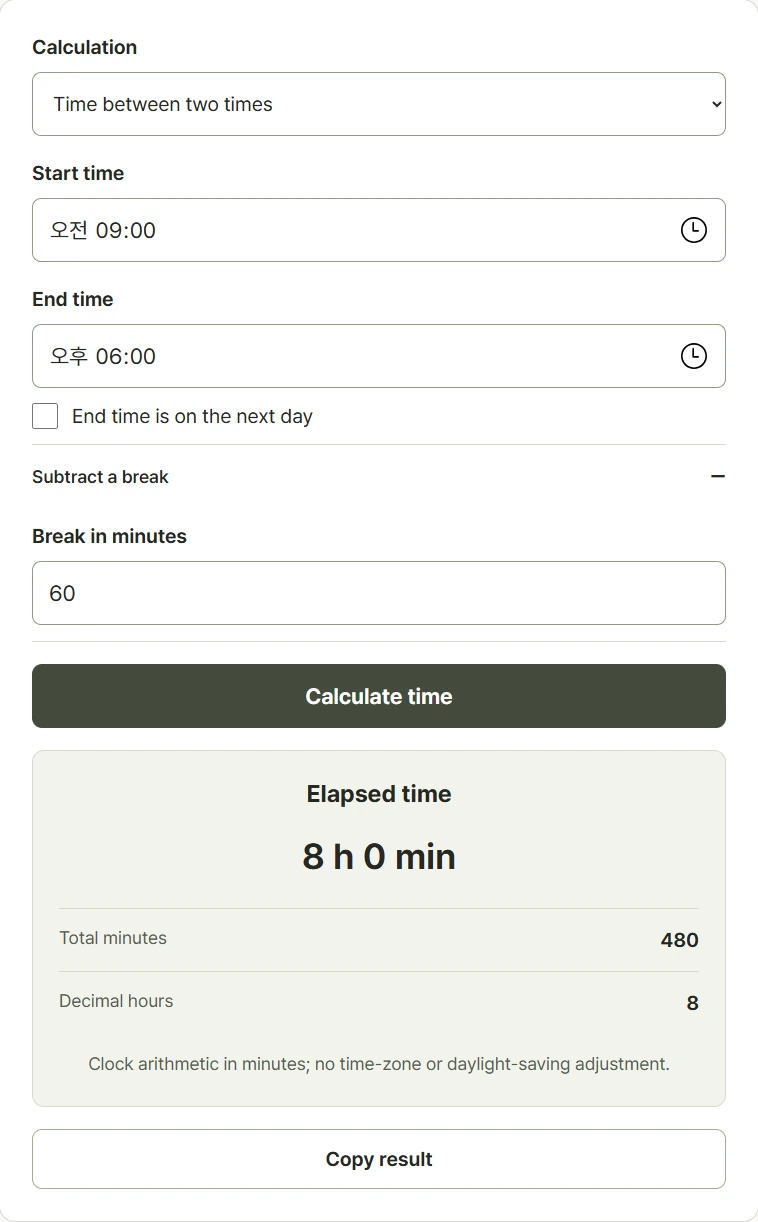
Compare 09:00 and 18:00, then deduct a sixty-minute break to obtain eight hours of the selected activity.
Find a finishing time
Start at 23:40 and add fifty minutes. The ending is 00:30, with a next-day indicator to show the midnight crossing.
Work backward from a deadline
Subtract thirty minutes from 00:15 to find a preparation start at 23:45 on the previous day.
Examples and calculation method
Worked examples
| Calculation | Input | Result |
|---|---|---|
| Time difference | 09:00 to 18:00, minus 60 minutes | 8 hours |
| Add time | 23:40 plus 50 minutes | 00:30 the next day |
| Subtract time | 00:15 minus 30 minutes | 23:45 the previous day |
Convert hours to minutes before calculating
Each clock time becomes hours times sixty plus minutes. A next-day ending adds 1,440 minutes before subtracting the start, and a break is then removed from the interval. Addition and subtraction apply the entered duration and convert the result back to a clock time with a day offset. Decimal hours divide total minutes by sixty. A break cannot exceed the interval, and an earlier ending needs the next-day option.
Understanding your result
- Enter a clock time separately from a duration; one hour thirty minutes means 1.5 decimal hours.
- If the ending is earlier than the start, choose next-day ending when that matches your interval.
- Read the day offset beside an addition or subtraction result; a clock time alone can hide a midnight crossing.
Frequently asked questions
Frequently asked questions
How do I handle an ending after midnight?
For a time difference, select the next-day ending option. Addition and subtraction show the day offset automatically.
Can I deduct a break?
Yes. In difference mode, enter the break in whole minutes. It must not be longer than the total interval between the times.
Is one hour thirty minutes equal to 1.3 hours?
No. Thirty minutes is half an hour, so one hour thirty minutes equals 1.5 decimal hours.
Does this calculate wages or time-zone changes?
No. It performs clock and duration arithmetic in minutes, without payroll rules, daylight saving changes, or conversions between time zones.